

Interactive Guide to Giving in One Church
We have created this interactive guide for setting up your giving on your mobile device in One Church. Click the image below to open the guide. Then click the question you have. Once the section video ends, click the screen to go back to the main menu.
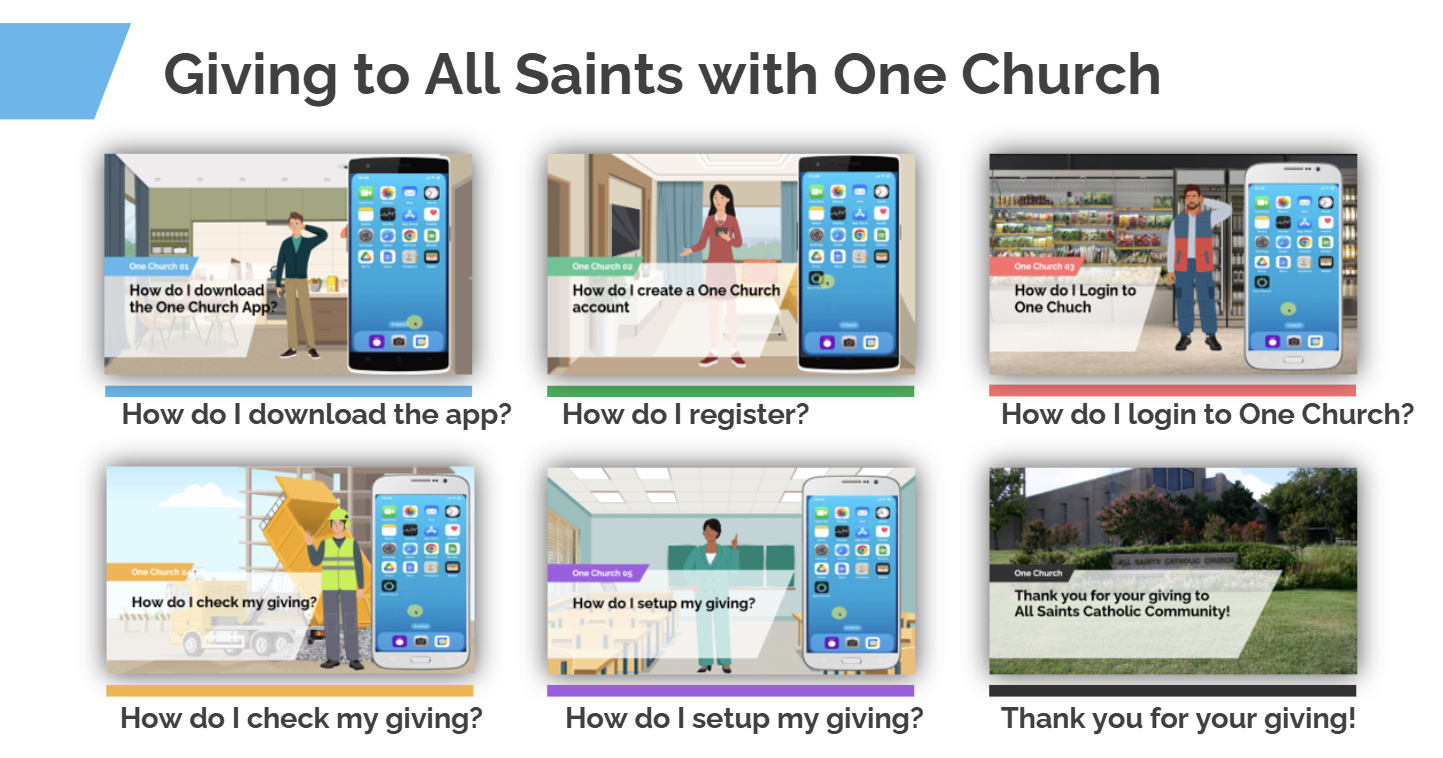
We are happy to announce the launch of our new Church Management System, powered by One Church. This system will streamline the way we manage church activities, giving, and communication, replacing our previous platform, Elexio.
To help everyone transition smoothly, we have created this site to introduce you to One Church and guide you through the registration process. We invite you to learn how this new system will enhance our parish life. Thank you for your cooperation and support as we embrace this new tool to better serve our community. We’re excited about the opportunities it brings to help us grow in faith and connection.
You’ll soon receive an email with clear instructions on how to register and set up your giving in One Church.
Download the My One Church App today and join us in building a stronger parish family!


Transition Your Online Giving to One Church
We’re moving to One Church for all our parish needs, including online giving. To ensure a smooth transition, please follow these steps to cancel your Elexio Giving and set up your new giving profile in One Church.
Set Up Online Giving in One Church
-
Log in to One Church:
- Visit One Church Login using your registered account.
-
Set Up Your Giving:
- Click the "Give Now" button in the top left corner of the One Church portal.
- You can easily set up secure contributions using your bank account (ACH), credit card, or debit card.
Frequently Asked Questions
Why Choose ACH?
ACH processing fees cost less than credit/debit card transactions, making it a more cost-effective way to support our parish.
Is there in-person help available?
Absolutely! Stop by the parish office, and a member of our team will be happy to guide you through the new system.
Can I use One Church Software on my computer?
Yes! One Church works on both your desktop/laptop and through the app, offering more options on your computer.
Should I turn off Elexio Giving before setting up giving in One Church?
Yes, please turn off Elexio Giving this December and set up your giving in One Church. Simply enter your credit/debit card or bank account information under "❤️Give Now" to begin in January 2025.
Why is One Church Software telling me my password was "already used in a breach"?
We understand that some of you have encountered a message in One Church Software saying your chosen password "was already used in a breach." This message is a safeguard to protect your account and personal information. It means the password you tried to use has appeared in a previous data breach involving another website or service.
To ensure your account is secure, we recommend the following:
Create a Strong, Unique Password
-
Use a combination of uppercase and lowercase letters, numbers, and special characters (e.g.,
!@#$) 8-10 characters. -
Avoid using passwords that include personal information like your name or birthdate.
-
Ensure this password hasn’t been used on other websites.
